Overview of modules
Basic Module
Text Module
Text Plus Module
Editing Module
Editing Plus Module
Clipart Module
Connect Module
Digitizing Module
Digitizing Plus Module
Scanner Module
Styles Module
Patterns Module
Designer Module
Cross Module
Venere Module
Digitizing Adv Module
Node Edit Module
Cleanuo Expert Module
Artistic Digitizing Module
Style\Pattern Creator Module
Font Creator Module
Sequins Module


modular® Designer module™
 
This module allows you to use CorelDRAW® graphic software virtually inside modular. You can easily design an object in CorelDRAW®, copy/paste into modular, then create stitches automatically using auto trace tool.
 
Feature Outline:
  • Integrated with CorelDRAW®using Microsoft OLE-2 technology.
  • Convert CorelDRAW® Artwork or vector designs into Embroidery Designs with simple mouse clicks.
  • Auto trace on common vector artwork.

Designer Module is built based on Basic and Digitizing modules.


OLE II (Object Linking and Embedding technology)
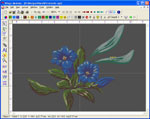
Chose an object designed with your favorite drawing program and paste it in modular.
Modify the design in your favorite drawing program and watch modular get the changes automatically while you continue punching.
 
Vector data pasted in modular are automatically recognized.
Scale both or one of the co-ordinates (stretch) of Vector backdrops
Rotate of the Vector backdrops, also by changing the rotation center
Slant of the Vector backdrops, also by changing the slanting center
   
 
More details for designer module!


Copyright © 2002-2010 Wings Digitizing Center. All rights reserved.